DevOps and CI/CD Pipelines: How They Speed Up Software Delivery
There’s a specific kind of dread familiar to any team without proper deployment automation: the manual, late-night release process, the crossed fingers, the hope that nothing breaks in production. DevOps is the cultural and technical practice of breaking down the traditional wall between development and operations teams, and CI/CD pipelines are the automated backbone that makes DevOps practical — continuously testing and integrating code changes, then automatically deploying them once they’ve passed every check. Together, they turn software releases from a rare, high-stakes event into a routine, low-risk part of how a team works every single day.
At Webtoz, CI/CD is built into how we deliver software, closely connected to the infrastructure decisions in website hosting and infrastructure and the broader architectural principles in cloud-native architecture.
This guide covers what DevOps actually means beyond the buzzword, how a CI/CD pipeline works stage by stage, the concrete business benefits of automated delivery, the tools and practices that support it, and how to actually set one up without over-engineering it for your team’s current size.
📖 In This Guide
1. What DevOps Actually Means
DevOps gets treated as a job title or a set of tools in a lot of marketing material, but it’s really neither — it’s a cultural shift in how development and operations work together. In traditional setups, developers write code and hand it off to a separate operations team to deploy and maintain, creating friction, delays, and finger-pointing whenever something breaks. DevOps collapses that divide, with the same team owning code from development through to production, sharing responsibility for both building it and keeping it running. This shift in ownership is what actually drives faster, more reliable delivery — the tooling is simply what makes it practical at scale.
It’s worth being honest that DevOps as a full cultural transformation is a genuinely significant undertaking for larger, established organisations with deeply entrenched separate teams. For smaller teams, the transition is often far more natural, since the same people are frequently already wearing both hats without a formal name attached to it.
The historical friction DevOps addresses is worth understanding directly. In the traditional split, developers were measured on shipping new features, while operations were measured on stability — two goals that constantly pulled against each other, with each side quietly incentivised to blame the other whenever something went wrong. Removing that structural conflict, rather than just adding new tools on top of it, is what actually makes DevOps effective.
2. What a CI/CD Pipeline Does
Continuous Integration means every code change gets automatically tested and merged into the shared codebase frequently, rather than accumulating in isolation for weeks before a painful, conflict-heavy merge. Continuous Delivery (or Deployment) extends that automation further, automatically packaging and releasing every change that passes its tests — either to a staging environment awaiting manual approval, or straight through to production without human intervention, depending on how much automated confidence the team has built. Together, they replace a slow, manual, error-prone release process with a fast, repeatable, automated one.
The distinction between Continuous Delivery and Continuous Deployment is subtle but worth getting right in conversation. Delivery means every change is automatically ready to release at any time, with a human making the final call on when. Deployment removes even that final human step, releasing automatically the instant a change passes every check. Most teams start with the former and graduate to the latter as trust in their pipeline grows.
Is full continuous deployment to production safe for a small team?
It’s safe when the automated test suite is genuinely trustworthy — comprehensive enough to catch the kinds of bugs that would otherwise reach real users. Many teams start with continuous delivery to a staging environment, requiring a manual approval before production, and graduate to full continuous deployment only once their test coverage has earned that level of automated trust.
3. CI/CD Pipeline Stages
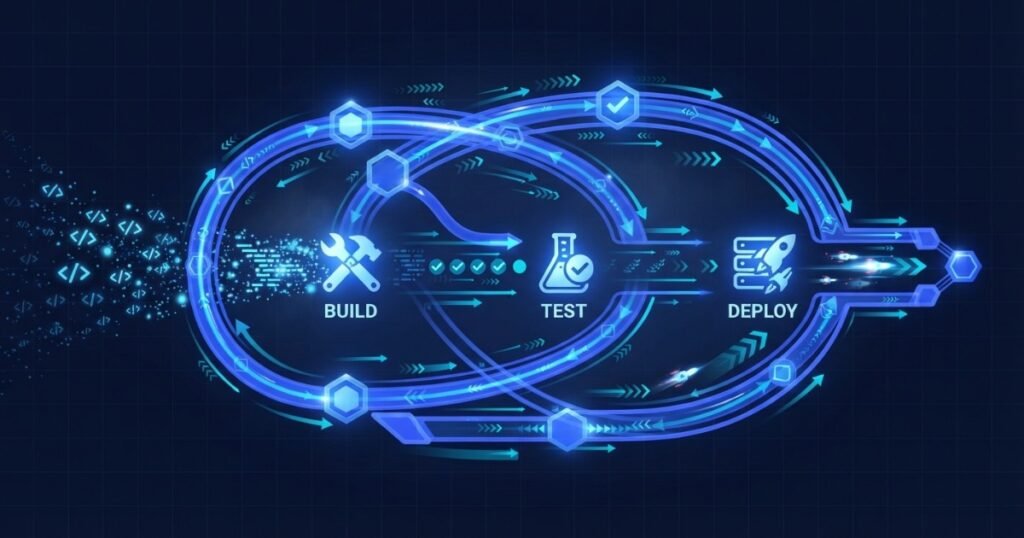
Each stage acts as a checkpoint that catches a specific category of problem before it reaches real users. A change that fails at the build stage never even gets tested; a change that fails testing never reaches staging — this layered structure is what makes the whole pipeline trustworthy rather than just fast.
4. Benefits of CI/CD for Speed and Reliability
The business case for CI/CD is straightforward once you see it in action: releases stop being rare, risky events and become a routine, low-stress part of daily work. Smaller, more frequent releases mean bugs get caught and fixed faster, since each release contains fewer changes to sift through when something does go wrong. Automated testing catches regressions before they reach real users, and the entire team spends less time on manual, error-prone deployment work and more time actually building product value. Teams with mature CI/CD practices often ship multiple times a day without drama, while teams without it dread a monthly release.
There’s a compounding effect worth highlighting here too. Frequent small releases don’t just reduce the blast radius of any individual bug — they also make it dramatically easier to identify which specific change caused a problem, since there are fewer candidate changes to investigate compared to a large, infrequent batch release where dozens of unrelated changes ship together.
5. Common DevOps Tools and Practices
A mature DevOps setup typically combines several categories of tooling working together. Version control systems track every code change with full history. CI/CD platforms automate the build, test, and deployment pipeline itself. Infrastructure-as-code tools let server configuration be defined and version-controlled the same way application code is. Monitoring and logging tools give visibility into how the deployed system is actually behaving once it’s live. None of these tools are mandatory in isolation — the right combination depends on the specific team, product, and infrastructure involved.
Container technology has become a near-standard part of this toolkit as well, since packaging an application and its dependencies together makes it behave identically across a developer’s laptop, the CI pipeline, and production — eliminating a whole category of “works on my machine” problems that used to plague manual deployment processes.
6. Building a DevOps Culture, Not Just Tooling
Installing a CI/CD tool without changing how the team actually works together captures only a fraction of DevOps’s real value. Genuine DevOps culture means shared ownership of production reliability, blameless post-incident reviews focused on fixing the process rather than the person, and comfort with smaller, more frequent changes rather than large, infrequent, high-stakes ones. Teams that adopt the tooling without the underlying cultural shift often end up with an automated pipeline that nobody fully trusts, defeating much of its intended purpose.
Blameless review culture deserves particular emphasis, since it’s often the hardest cultural shift to actually achieve. When an incident happens, the useful question is “what in our process allowed this to reach production,” not “who made the mistake” — the former produces genuine systemic fixes, while the latter tends to just make people more cautious about admitting mistakes in the future, which quietly undermines the transparency the whole system depends on.
7. Common Mistakes
Teams adopting CI/CD for the first time tend to run into a similar, predictable set of pitfalls, most of which stem from automating too fast without the underlying discipline to support it.
- Automating deployment without adequate test coverage: Fast releases with no genuine safety net behind them.
- Overengineering the pipeline for a small team: Complex infrastructure that takes more time to maintain than it saves.
- No rollback plan: Automated deployment with no equally automated, well-tested way to undo a bad release quickly.
- Treating pipeline setup as a one-time project: Letting it grow stale and out of sync with how the team actually builds software.
- Skipping monitoring after deployment: Automating the release itself but not the visibility into how it’s actually performing afterward.
- Blaming individuals instead of fixing the process: Undermining the trust needed for a genuine DevOps culture to take hold.
- Ignoring pipeline speed itself: A slow, painful pipeline discourages the very frequent commits it’s meant to support.
How to Set Up a CI/CD Pipeline
A practical sequence for teams setting up automated delivery for the first time.
1. Establish Version Control Discipline
Ensure every change flows through a consistent, well-understood workflow.
2. Build a Real Test Suite
Automate testing before automating deployment on top of it.
3. Automate the Build Process
Remove manual steps from packaging and compiling code changes.
4. Add a Staging Environment
Deploy to a production-like environment before touching real users.
5. Automate Production Deployment
Move to automated production releases as test trust grows.
6. Add Monitoring and Alerts
Get visibility into how each release actually performs in production.
8. Final Thoughts: Automate the Boring, Trust the Process
CI/CD isn’t about moving fast for its own sake — it’s about removing the manual, error-prone steps that make software delivery slow and risky, so the team can move quickly with genuine confidence rather than crossed fingers. The businesses that ship reliably and often are the ones that invested in automation and the cultural shift to support it, turning what used to be a stressful, occasional event into a routine, trusted part of how the team works every day. That reliability compounds over time, freeing up energy that used to be spent worrying about releases into building the product itself.
Want a faster, more reliable software delivery process? Explore our custom software development services, review our pricing, or contact us to discuss your delivery setup and where automation could help most.
About Webtoz Solutions Team
Webtoz is a full-service web development, software engineering, and technology consultancy, building CI/CD automation into how software gets delivered reliably and predictably. Learn more about us, or get in touch to discuss your delivery process.
Ready to Ship Faster, Without the Dread?
Let Webtoz build a CI/CD pipeline that makes shipping software routine, reliable, and genuinely fast — without the dread that used to come with every release.
Get in Touch →