Legacy System Modernization: When and Why to Upgrade Your Software
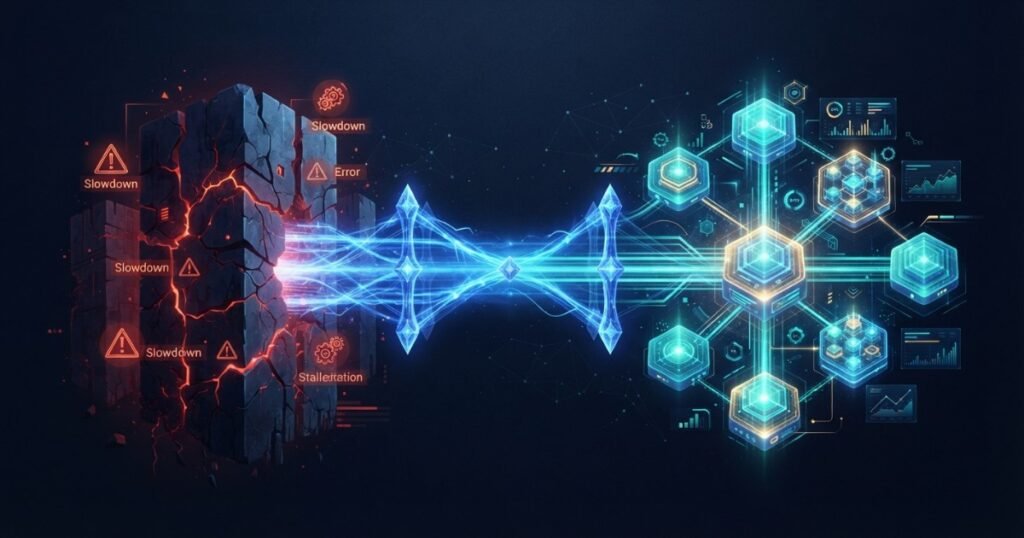
Every piece of business-critical software eventually reaches an inflection point where the cost of keeping it running starts to exceed the cost of replacing it — and the tricky part is that this shift happens gradually, which means most businesses cross that line long before anyone officially notices. Legacy system modernization is the deliberate process of updating outdated software — whether that means upgrading its underlying technology, restructuring its architecture, or replacing it entirely — to remove the growing drag it places on a business’s ability to move quickly, hire effectively, and stay secure. Done well, it’s one of the highest-leverage technology investments a business can make. Done poorly, or postponed indefinitely, it becomes a slow-motion crisis that eventually forces an expensive, disruptive emergency response.
At Webtoz, modernization work draws on the same disciplined approach we bring to cloud-native architecture and legacy migration and the challenges outlined in enterprise software development — every modernization project needs to balance genuine progress against maintaining business continuity throughout.
This guide covers how to recognise when a legacy system genuinely needs modernization, the real cost of doing nothing, the main modernization approaches and how to choose between them, data migration challenges, and how to keep the business running smoothly throughout the transition.
📖 In This Guide
- Signs a Legacy System Needs Modernization
- The Real Cost of Staying on Legacy Systems
- Modernization Approaches Compared
- Choosing the Right Approach
- Data Migration Challenges
- Managing Business Continuity During Modernization
- Common Modernization Mistakes
- How to Plan a Modernization Project
- Final Thoughts: Modernize Deliberately, Not Reactively
1. Signs a Legacy System Needs Modernization
Legacy systems rarely fail dramatically all at once — they degrade gradually, and the warning signs are usually visible for a long time before anyone decides to act on them. A codebase that new developers take months to become productive in, a technology stack that’s no longer receiving security patches from its vendor, a system so fragile that every change requires extensive manual testing to avoid breaking something unrelated, and features that competitors ship in weeks while your team needs quarters — these are all reliable signals that a system has crossed from “aging but functional” into “actively holding the business back.”
It’s worth distinguishing between a system that’s simply old and one that’s genuinely a liability. Age alone isn’t disqualifying — plenty of older systems run reliably for decades with modest, well-managed maintenance. The real signal to watch for is a widening gap between what the business needs the software to do and what the software can actually be adapted to do without heroic effort.
A useful exercise is asking the engineering team, honestly, how confident they’d feel making a significant change to the system without breaking something else. If the answer involves crossed fingers rather than genuine confidence backed by tests and clear code, that discomfort is itself valuable data about how urgently modernization deserves a place on the roadmap.
2. The Real Cost of Staying on Legacy Systems
The cost of inaction rarely shows up as a single line item, which is exactly why it’s so easy for businesses to underestimate. It shows up as engineering hours spent working around limitations instead of building new value, as security risk accumulating from unpatched, unsupported software, as talented developers leaving because nobody wants to spend their career maintaining a system nobody can safely touch, and as slower time-to-market that quietly erodes competitive position year after year.
These costs compound in a way that’s easy to underestimate from the outside. A system that’s 20% harder to work with this year becomes 40% harder next year as more workarounds get layered on top, and the businesses that wait longest to modernize typically end up facing the largest, most disruptive projects rather than a series of smaller, more manageable ones.
How do I build a business case for modernization when the current system technically still works?
Focus on the trend line, not the current snapshot — track how long feature delivery has been taking over the past year, how many hours are spent on workarounds versus new value, and how security or compliance risk is accumulating. A system that “still works” today but is measurably getting harder to work with each quarter is a much stronger, more concrete case than a vague appeal to modernization for its own sake.
3. Modernization Approaches Compared
Modernization isn’t a single strategy — it’s a spectrum of approaches with genuinely different risk and cost profiles. Rehosting moves a system to modern infrastructure with minimal code changes, offering fast, low-risk wins. Refactoring restructures the internal code without changing external behaviour, improving maintainability without a full rebuild. Rearchitecting redesigns how the system is structured, often moving toward the kind of cloud-native patterns we cover elsewhere. Replacing retires the legacy system entirely in favour of new software built or bought fresh. Each approach trades speed and risk against how much of the underlying problem actually gets solved.
It’s rarely a single approach applied uniformly across an entire system either. A mature modernization strategy often mixes approaches — rehosting the lowest-risk, least business-critical components quickly, while reserving a more careful rearchitecting effort for the core systems that genuinely need deeper structural change to keep serving the business well.
4. Choosing the Right Approach
5. Data Migration Challenges
Moving data out of a legacy system is almost always harder than it looks on paper, especially when that data has accumulated inconsistencies over years of manual entry, format changes, and workarounds nobody documented at the time. A proper migration plan includes a thorough audit of the source data’s quality, a clear mapping between old and new data structures, a strategy for handling records that don’t cleanly fit the new model, and enough testing time to catch data integrity issues before they reach production, not after.
Rushed data migrations are a common source of quiet, long-tail damage — records that silently lost a field during transfer, or relationships between records that broke without triggering any visible error. These problems often surface weeks or months after go-live, at which point tracing them back to the migration itself becomes significantly harder.
Should we clean up our data before or after migrating it to the new system?
Before, wherever realistically possible — migrating messy, inconsistent data into a new system just relocates the problem rather than solving it, and often makes it harder to fix since the new system’s structure may not accommodate the old inconsistencies gracefully. A dedicated data cleansing phase before migration, even if it adds time upfront, consistently pays for itself in fewer post-launch data issues.
6. Managing Business Continuity During Modernization
A legacy system being modernized is very often still actively running the business, which means the modernization project has to happen without interrupting day-to-day operations. This usually means running old and new systems in parallel for a defined transition period, migrating functionality in stages rather than all at once, and maintaining a clear rollback plan in case a specific stage doesn’t go as expected. The instinct to modernize quickly and get the disruption over with is understandable, but a rushed, all-at-once cutover concentrates risk in exactly the way a staged approach is designed to avoid.
Communication with the people actually using the system day to day matters just as much as the technical plan. Employees who feel blindsided by a sudden system change tend to resist it, regardless of how genuinely improved the new system is — whereas employees who’ve been kept informed throughout, and given a real chance to flag concerns, tend to adopt the change far more smoothly.
7. Common Modernization Mistakes
These mistakes recur across modernization projects of every size, and most trace back to underestimating how much complexity a legacy system has genuinely accumulated over its lifetime.
- Waiting until a crisis forces the decision: Reactive modernization under pressure is far riskier and more expensive than a planned one.
- Attempting a full rip-and-replace all at once: Concentrating all the risk into a single high-stakes cutover moment.
- Skipping data quality cleanup before migration: Relocating messy data instead of actually fixing it.
- Underestimating undocumented business logic: Old systems often encode institutional knowledge nowhere else is written down.
- No rollback plan: Committing to a change with no way back if something goes wrong mid-transition.
- Treating modernization as purely a technical project: Ignoring the training and change management users will genuinely need.
How to Plan a Modernization Project
A structured sequence for modernizing without disrupting the business it’s meant to serve.
1. Audit the Current System
Document what it does, including undocumented business logic buried inside it.
2. Choose the Right Approach
Match rehost, refactor, rearchitect, or replace to each component’s actual needs.
3. Clean Data Before Migrating
Fix data quality issues at the source rather than carrying them into the new system.
4. Migrate in Stages
Move functionality incrementally, validating each stage before moving to the next.
5. Train Users Properly
Invest in real change management, not just a technical cutover.
6. Monitor Closely Post-Launch
Watch closely for data or functionality issues in the weeks following go-live.
8. Final Thoughts: Modernize Deliberately, Not Reactively
The businesses that modernize successfully are rarely the ones reacting to a crisis — they’re the ones that recognised the warning signs early and planned a deliberate, staged transition on their own terms. Waiting for a legacy system to fail outright before addressing it almost always means a more expensive, more disruptive, and more rushed project than one planned proactively, with the business’s actual operational continuity built into the plan from the start. The goal isn’t modernization for its own sake — it’s removing the growing drag legacy software places on everything the business is trying to do.
Recognising the signs your legacy system needs attention? Explore our technology consultancy services, review our pricing, or contact us to discuss a modernization plan.
About Webtoz Solutions Team
Webtoz is a full-service web development, software engineering, and technology consultancy, guiding businesses through deliberate, staged legacy modernization. Learn more about us, or get in touch to plan your modernization project.
Ready to Stop Fighting Your Legacy System?
Let Webtoz plan and execute a modernization project that keeps your business running while your software finally catches up.
Get in Touch →